
Unlimited Budgets
Know what you can spend.
Coming soon to the App Store for Mac, iPhone, and iPad.
Budgets is the plan for your money. Put every dollar in an envelope, see what is left for the month at a glance, and know which bills are coming before payday. Behind the month is the year and the decade: the low point before payday, the year’s big expenses in one place, your debt-free date, when each goal lands, what your household is worth, and how far your savings reach.
The envelope line
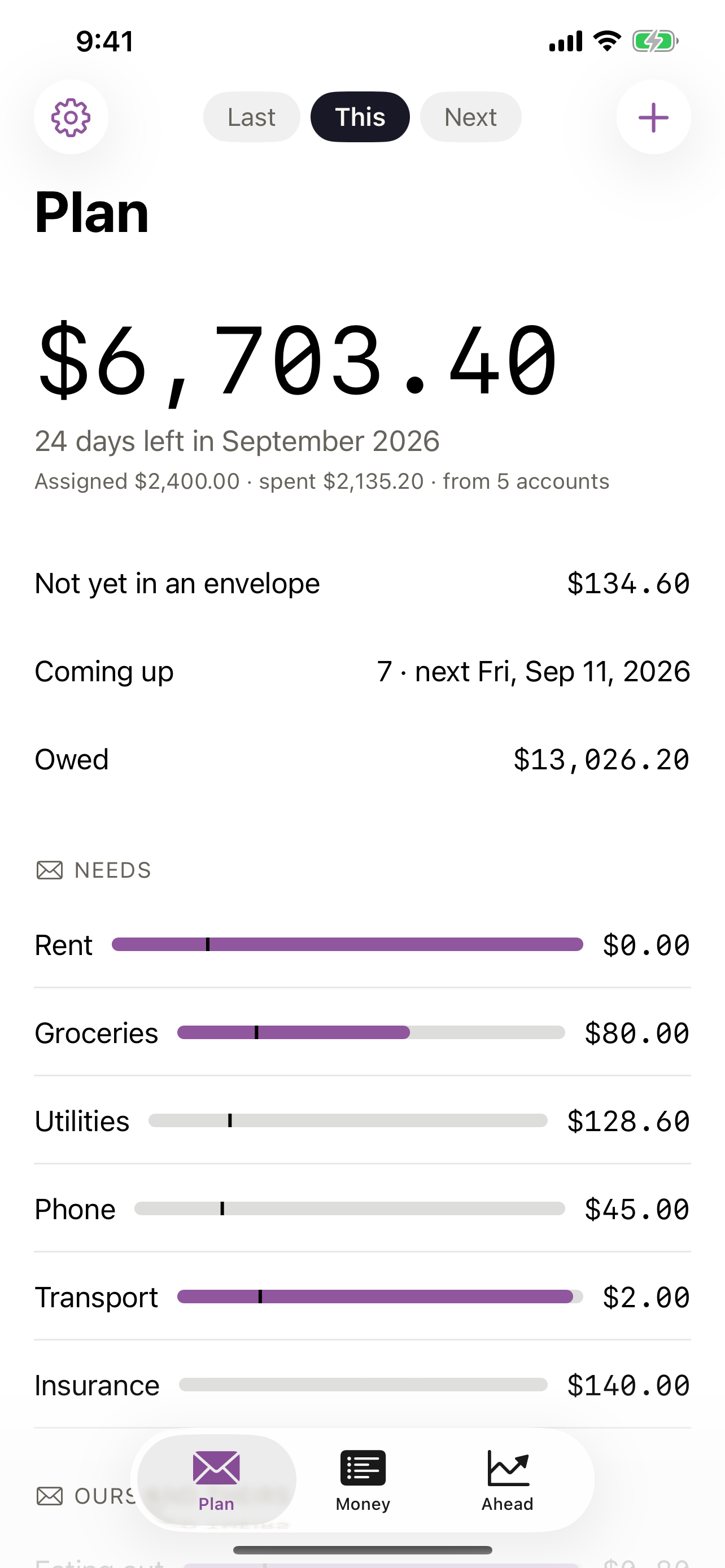
- Every envelope is one line — its name, a single-stroke bar, a small tick where today falls in the month, and what is left in plain digits.
- The track is what you put aside; the fill is what you spent — fill behind the tick is on pace, fill past it is ahead of the month.
- Over the plan, the overrun says its number and stops. Nothing flashes, and the alert ink is used once, on the number.
Four numbers on the first screen
- Left — at the top, the one number the screen is for.
- Not yet in an envelope — the money that arrived and has not been given a job. The plan is done when it reads zero.
- Coming up — the bills and paydays of the next two weeks, with dates that respect weekends and holidays, and the one alert the app raises: a bill that lands before the account can cover it.
- Owed — cards and loans, and what is set aside against them.
Bring your money in from the files you already have
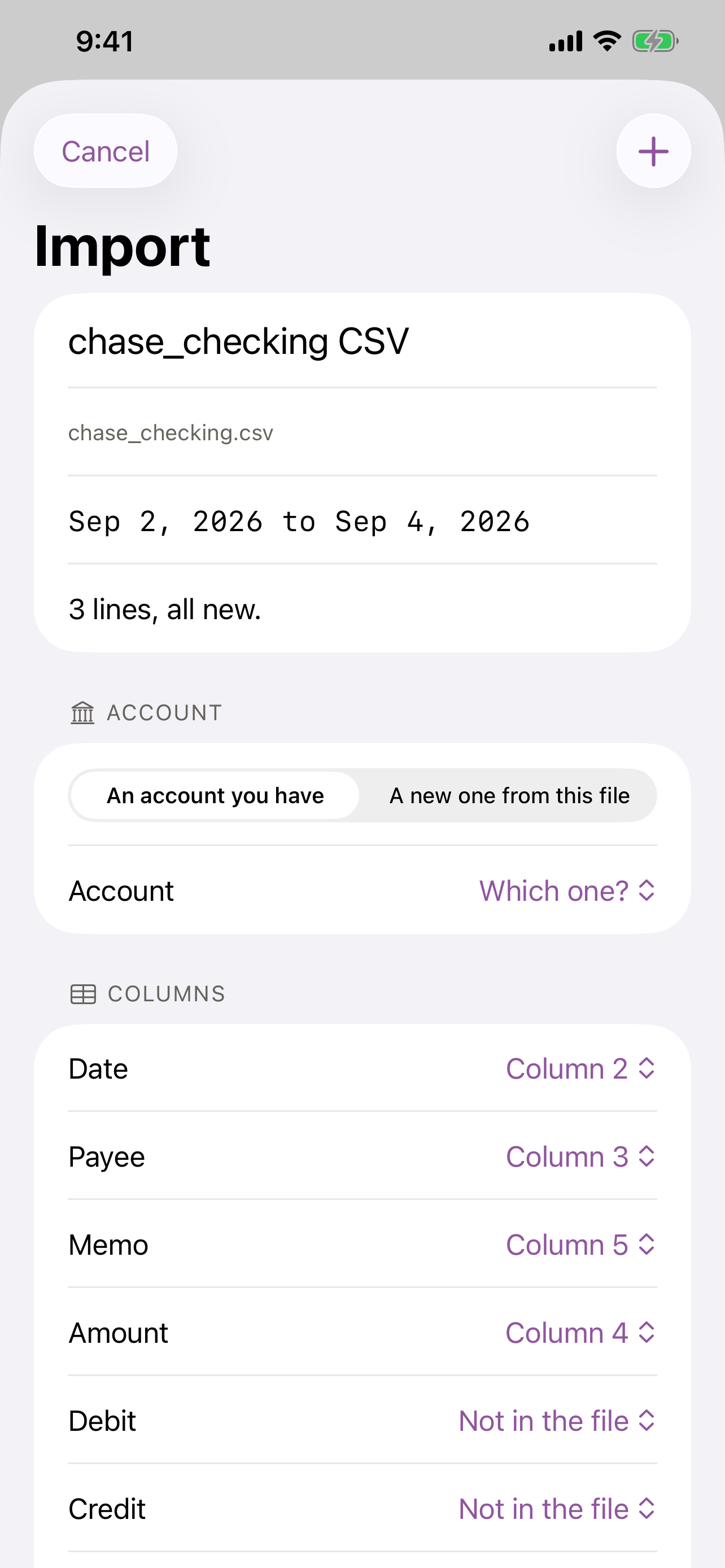
- The statement your bank already gives you — OFX, QFX, QIF and CSV in the layouts of the large banks of the United States, the United Kingdom, Germany, the Netherlands, Australia, Canada and the Nordics, and camt and MT940.
- What you were keeping before comes with you — the exports of YNAB, Mint, Monarch, Quicken, Copilot, Actual and the rest.
- You see what it read before anything lands — and a line you already have is never brought in twice. The file itself is kept in your budget folder.
- Photograph a receipt and the amount, date and shop fill in.
Ahead
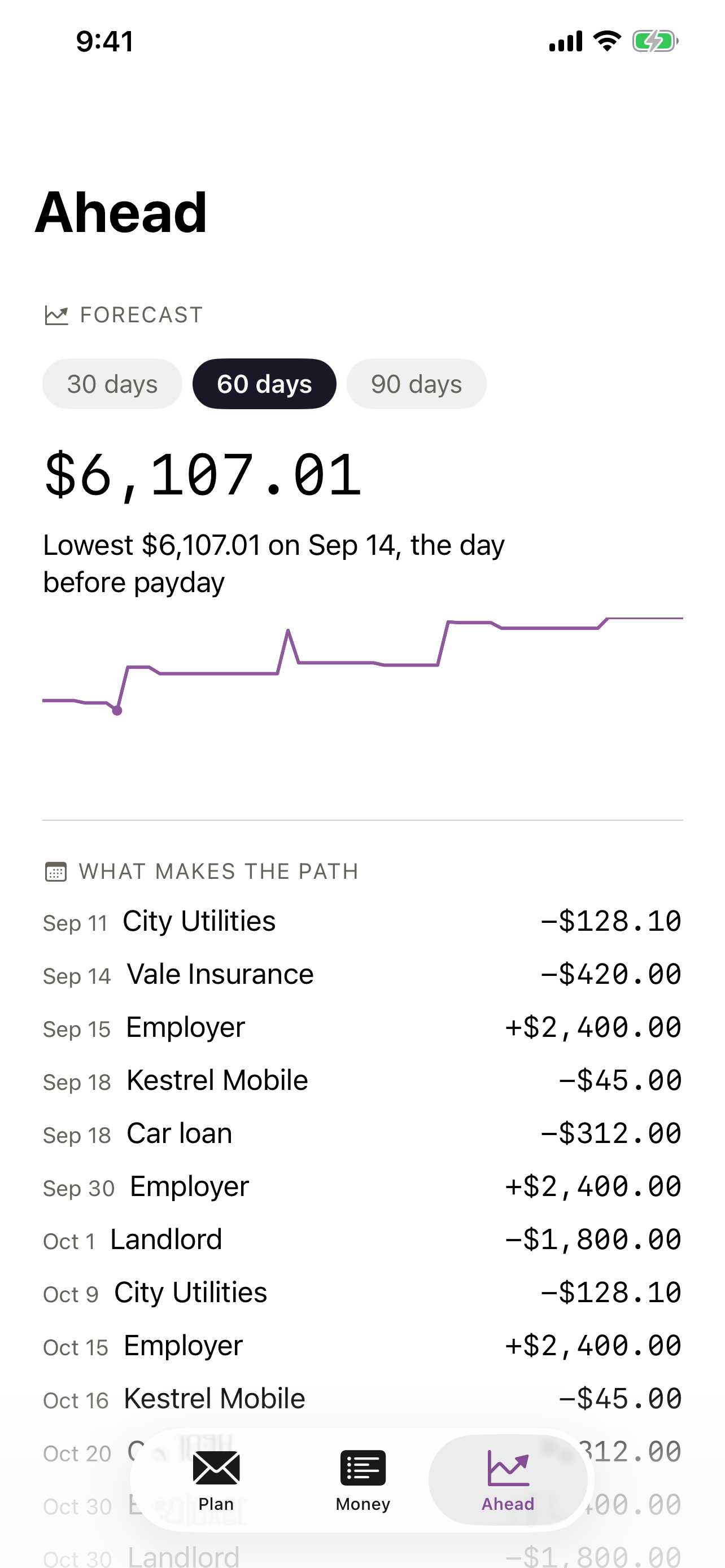
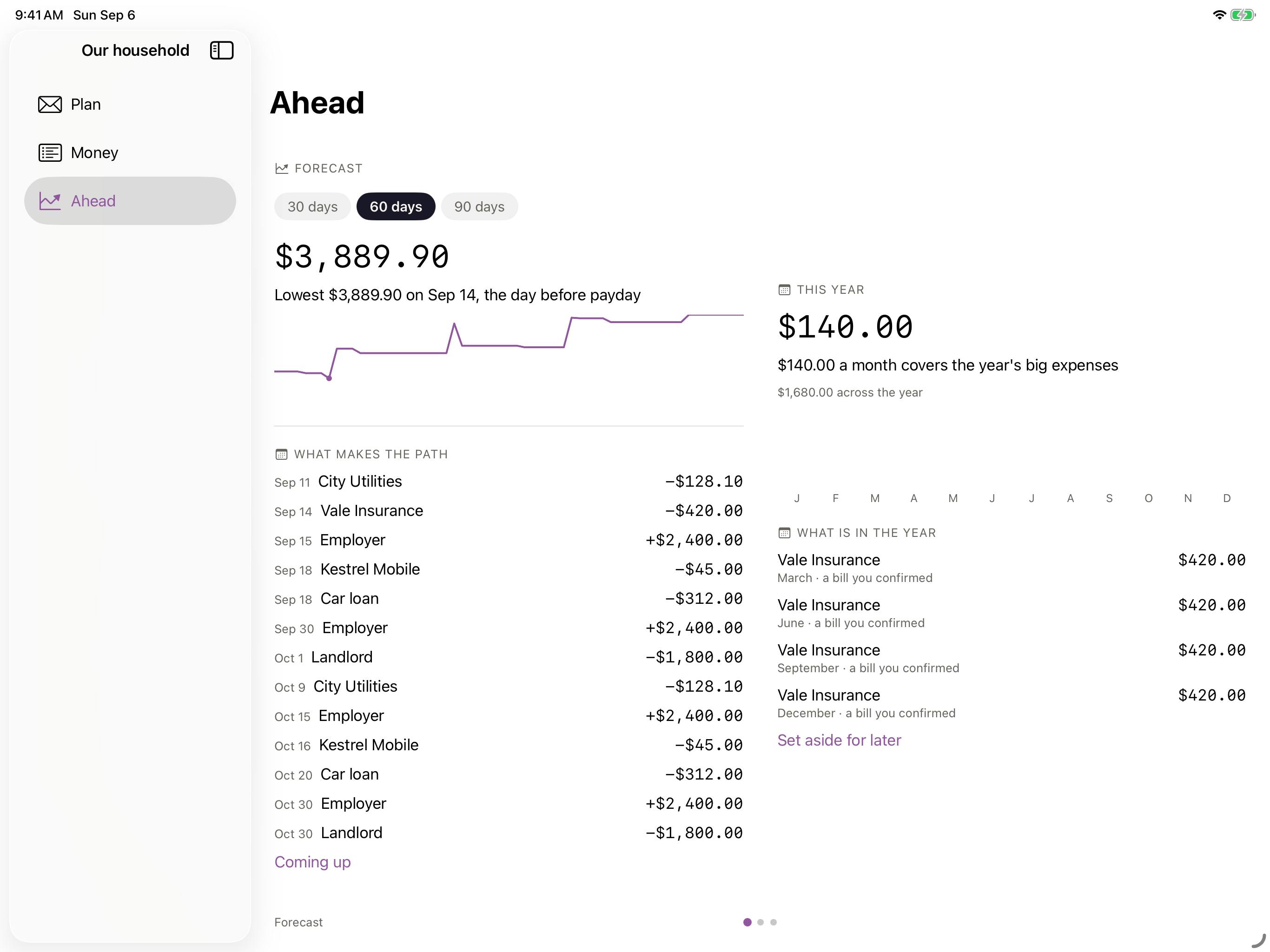
- The forecast lays confirmed bills and paydays on the calendar and names the low point before the next payday.
- This year shows the expenses that are not monthly as one set, with what to set aside each month.
- Worth follows every account, including the ones that are only a number you type yourself.
- Owed pays the smallest debt first unless you say otherwise, and tells you what that choice costs in interest.
- Reach shows how far your savings go as a range between two returns you set — never a single line.
Your budget is a folder
- One folder per budget —
iCloud Drive › Budgets, with a plain-text ledger any editor opens and other ledger tools read, the plan beside it, the statements you brought in, and the receipts you photographed. - Share the folder from Files or the Finder and your partner works on the same budget, shared and private envelopes side by side.
- Delete the app and everything stays.
On the Mac, the desk
- Drop a statement on the window and the preview opens.
- The Money table sorts and edits in place.
- Export to Beancount, Ledger, QIF, CSV or OFX.
- Left lives in the menu bar if you like, and bigger type is one keystroke.
No meter
- Everything works offline, from the first launch.
- No account, no subscription, no in-app purchases, no ads, and nothing collected. There is no server of ours for your money to reach, because there is not one.
- Mac needs macOS 15, iPhone needs iOS 18, and iPad needs iPadOS 18.
One purchase, every device
One purchase of $29.99 covers Mac, iPhone, and iPad, and Family Sharing covers the household.
No account, no subscription, no in-app purchases, no ads, no analytics, and no tracking. Your budgets are files in your own iCloud Drive.