
Unlimited Spectrum
Live spectrum, spectrogram, and waveform.
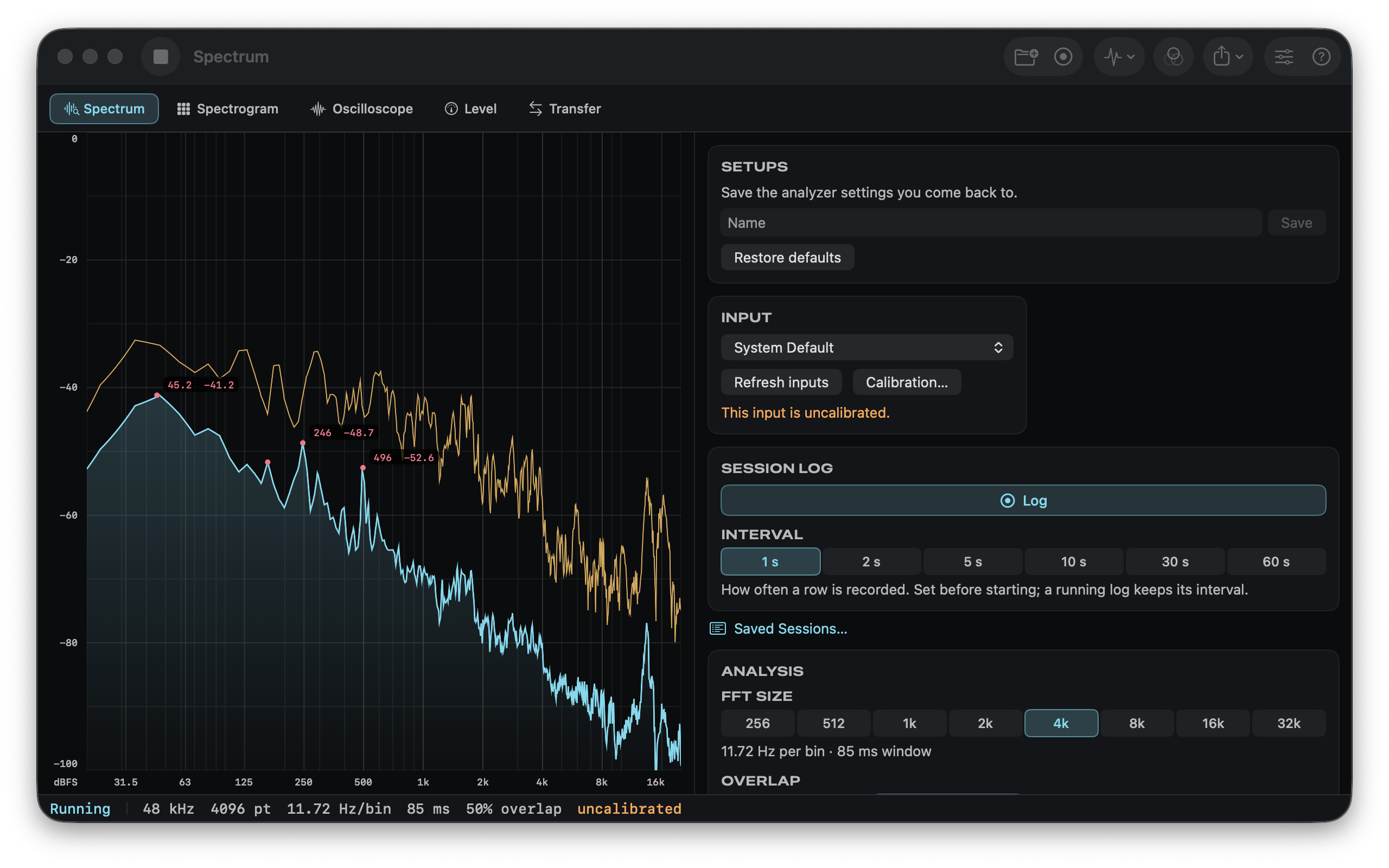
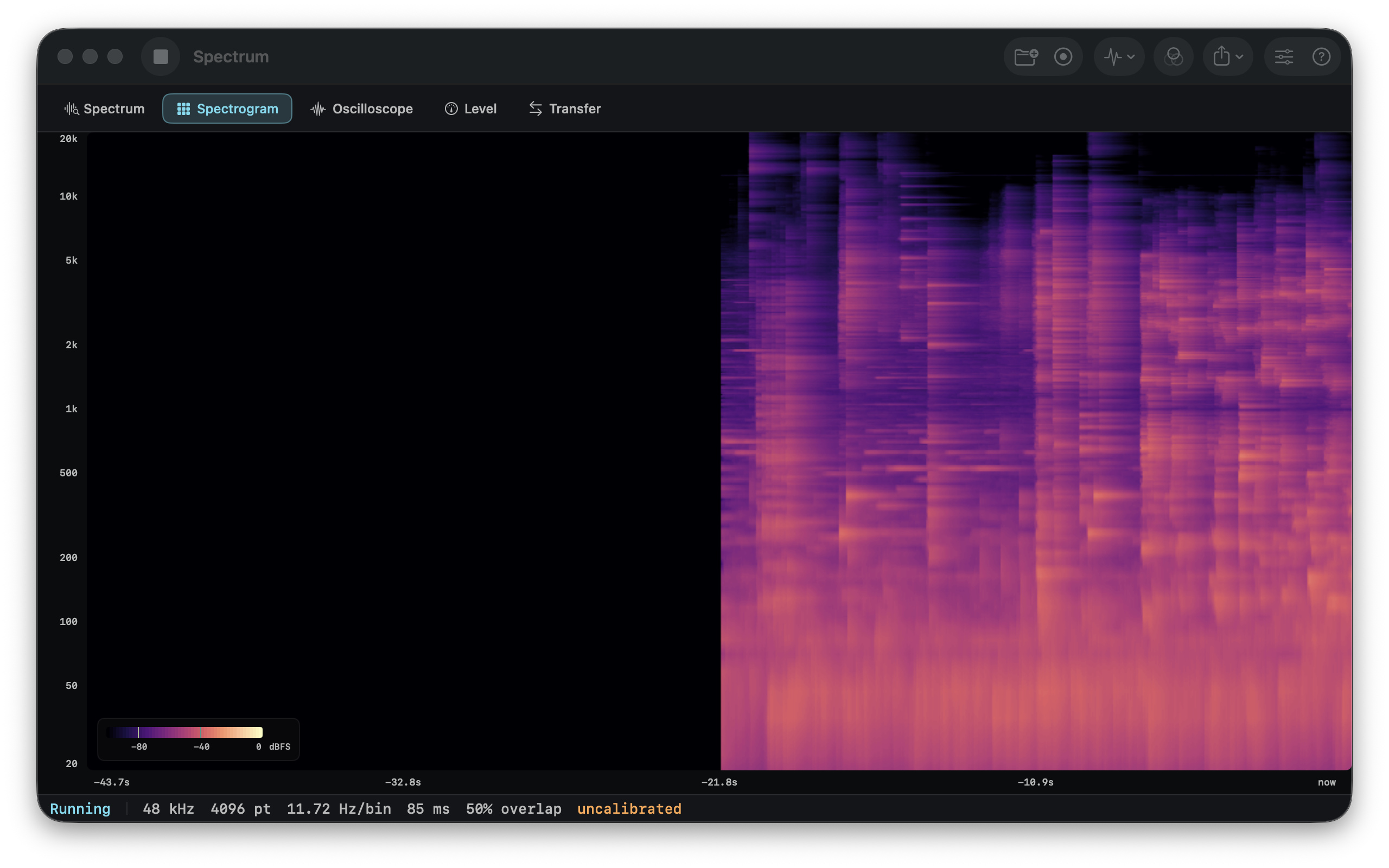
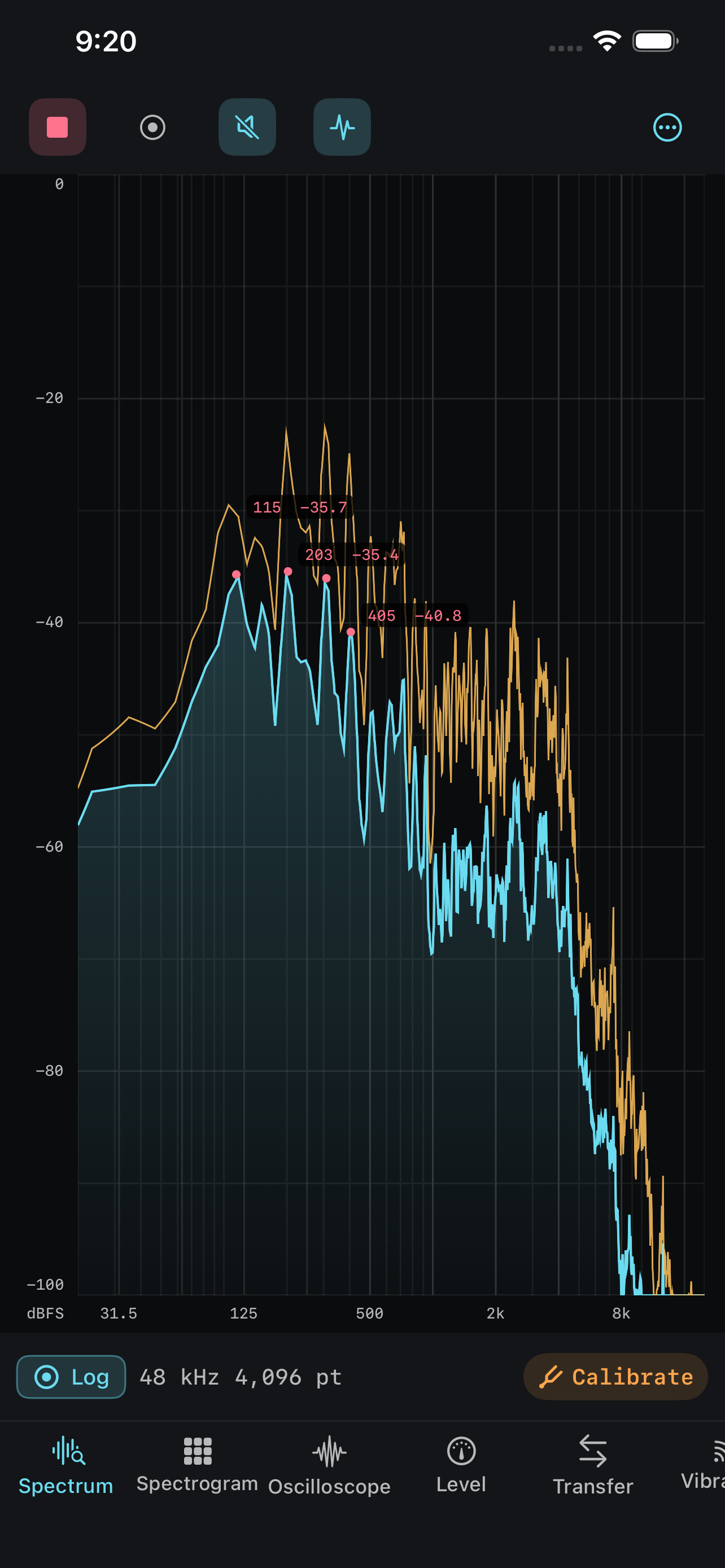
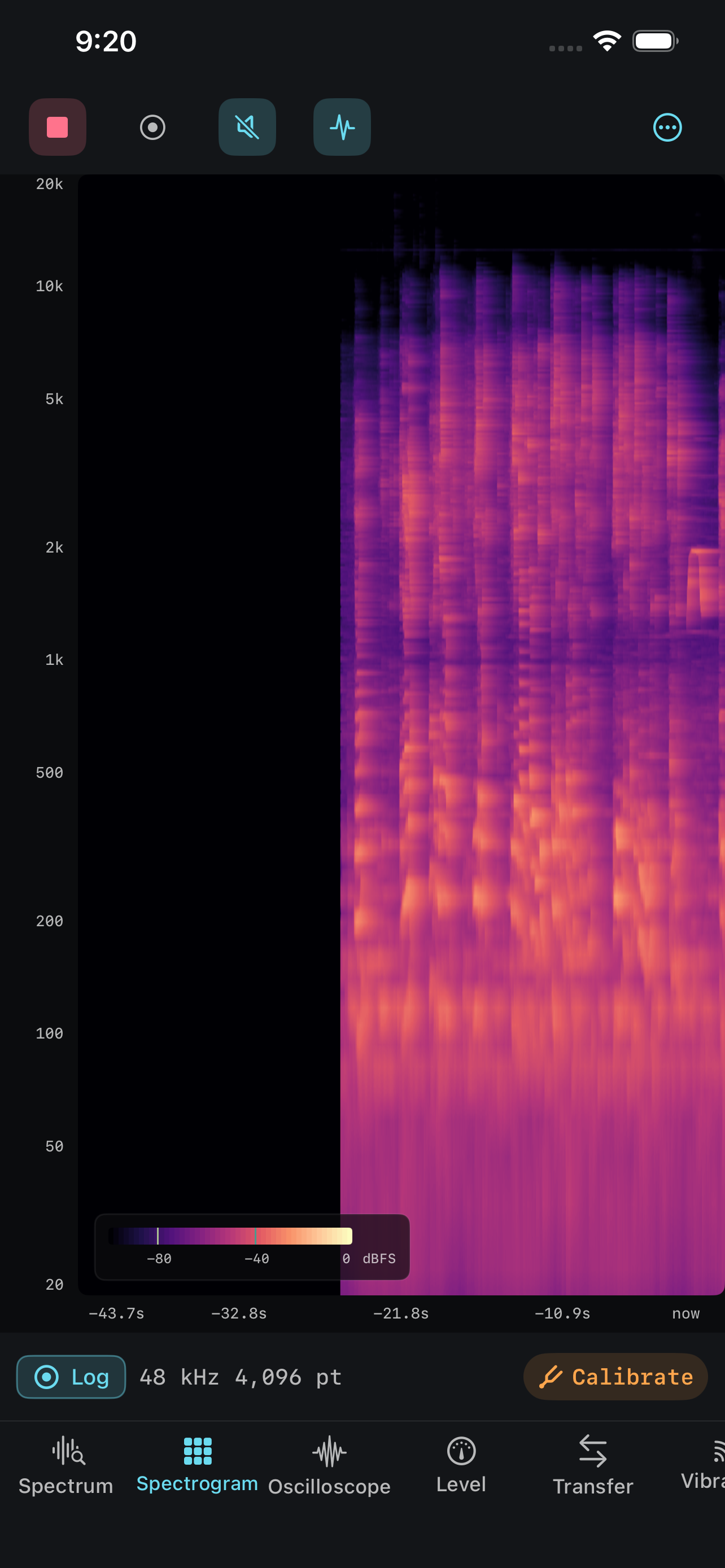
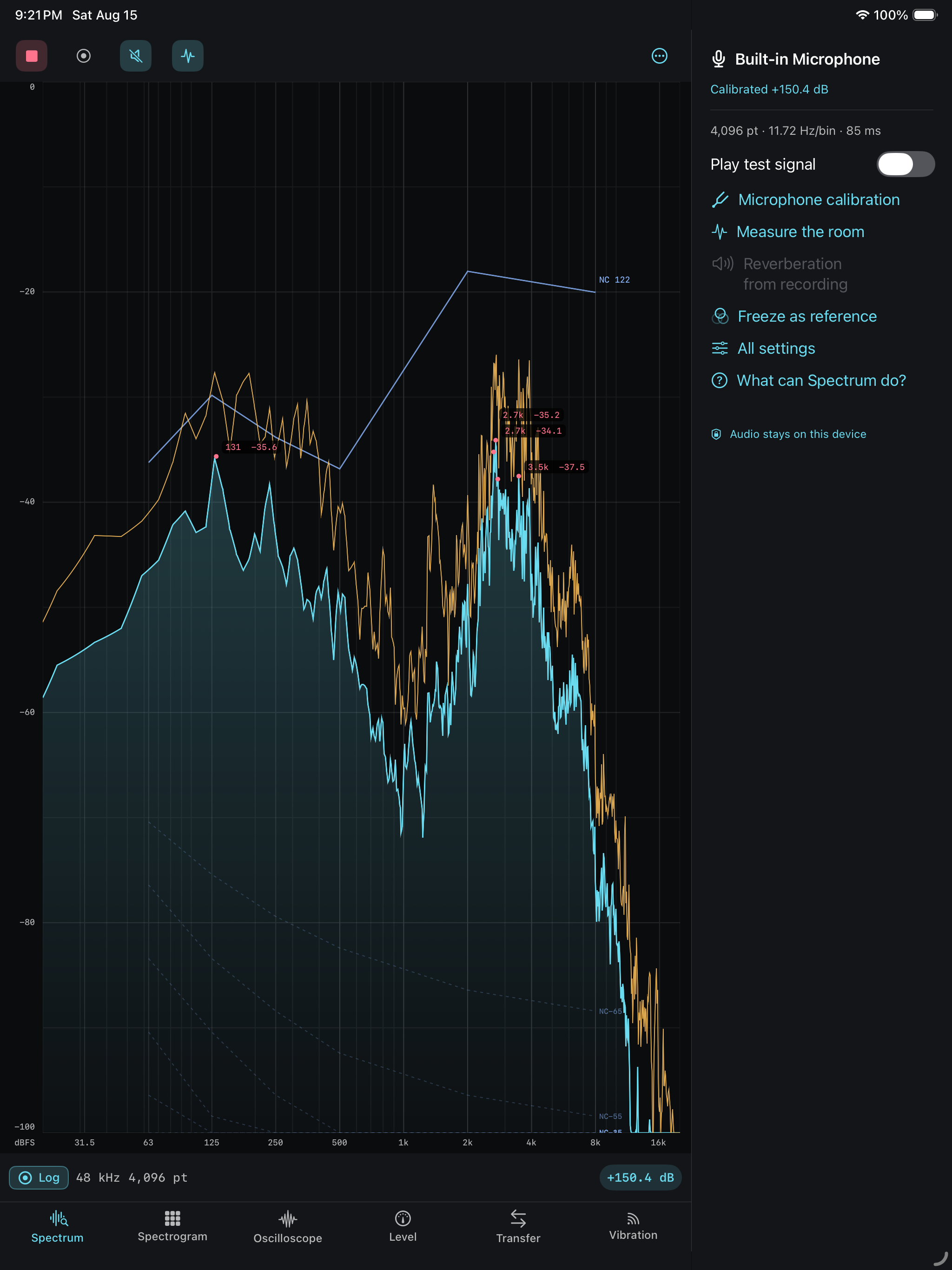
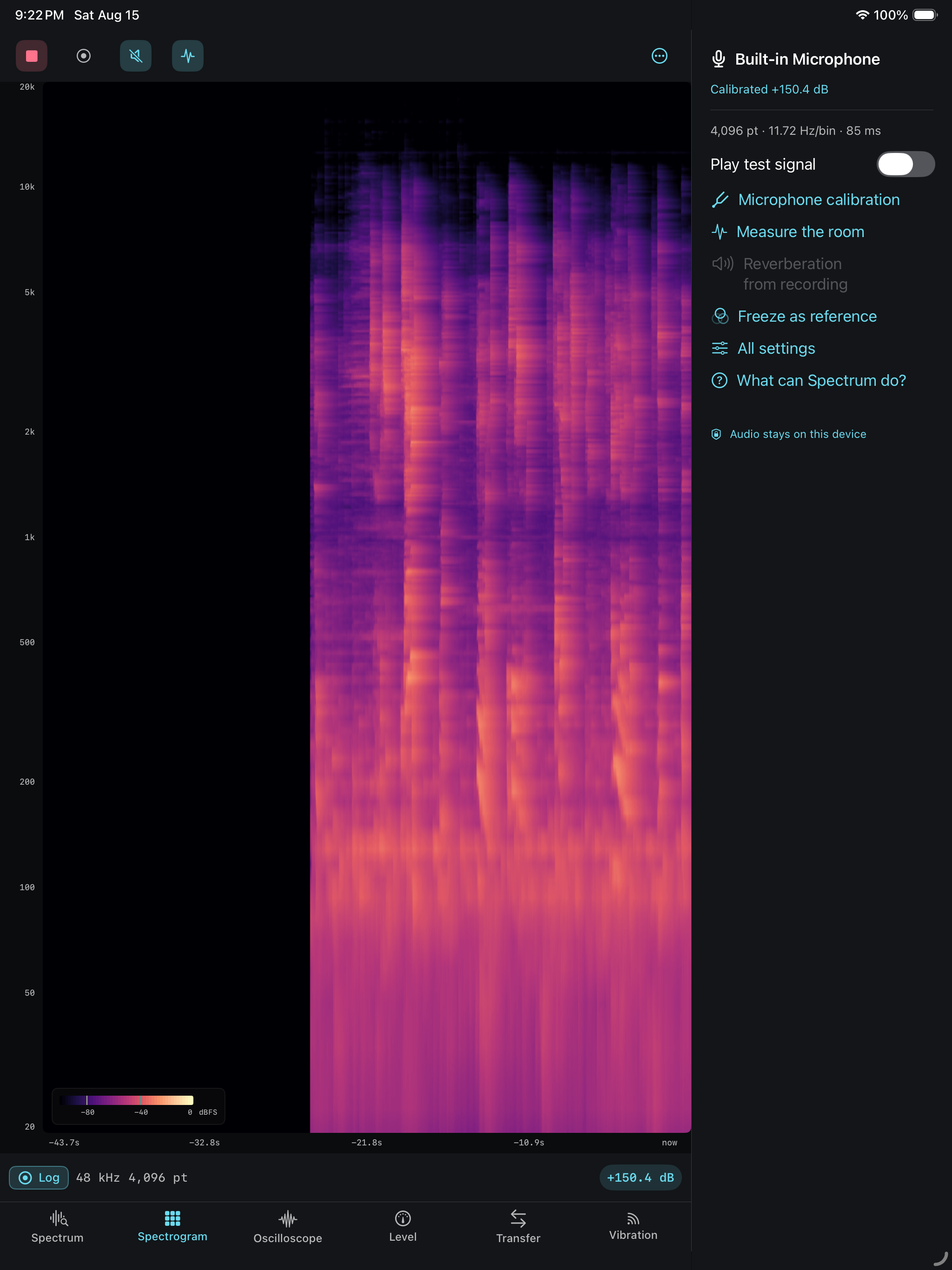

Point your device at anything that makes noise and watch it in real time — as a spectrum, a spectrogram, a waveform, a calibrated level meter, or a two-channel transfer function. Rest an iPhone on something that shakes and measure that too. Built for the moment you need to know what that hum is, whether the room is too loud, or where the resonance sits.
Look at the sound every way
- Spectrum analyzer — real-time FFT from 512 to 32768 points, a range of window functions, fractional-octave smoothing down to 1/48, a peak-hold trace, and peak markers that can name the nearest note. Pinch to zoom: the zoom changes the drawing, never the analysis.
- Spectrogram — a scrolling waterfall with a choice of color maps and a labeled scale. Changing the contrast re-maps the history you already have, so you can go back for something you nearly missed.
- Oscilloscope — the raw waveform with triggering, so a repeating signal stands still. Hysteresis rejects noisy edges, and pre-trigger shows what led in.
- Level meter — A-, C-, and Z-weighted levels with Fast, Slow, and Impulse response, equivalent continuous level, and the L10/L50/L90 statistics used in noise reports.
- Transfer function — magnitude, phase, coherence, group delay, and impulse response. Where coherence is low, the trace fades instead of pretending. A delay finder locates the loudspeaker in samples, milliseconds, and metres.
- Vibration (iPhone and iPad) — the accelerometer, weighted to ISO 2631-1: per-axis and vector-sum RMS, vibration dose value, and peak particle velocity. The app states its 40 Hz limit on screen and in every export.
Make sound to measure sound
- Signal generator — sine, square, triangle, sawtooth, white, pink, and brown noise, sweeps, and tone bursts. Levels are set in dBFS, like every other level in the app.
- Swept-sine room measurement — one button plays a sweep, computes the impulse response, and reports reverberation time (EDT, T20, T30) and clarity (C50, C80, D50, centre time), with the energy-time curve drawn underneath.
Measure properly
- Octave down to 1/24-octave bands on the IEC 61260 definitions.
- THD, THD+N, signal-to-noise ratio, SINAD, effective bits, and crest factor — shown only when the signal has a fundamental, because they mean nothing without one.
- Noise exposure under NIOSH, OSHA, or ISO 1999. The reading always names its rule, and the panel will not compute a dose on an uncalibrated input.
- NC, NR, and RC Mark II noise ratings, with the curves drawn over the spectrum and the band that set the rating named — that band is what to fix.
- EBU R 128 loudness: momentary, short-term, and integrated LUFS, loudness range, and true peak, against a −23, −16, or −14 LUFS target.
- Stereo correlation, balance, width, and a goniometer. Correlation predicts the complaint: a mix that sounds wide on headphones and disappears on a phone is one whose channels are cancelling.
- Reverberation time from a clap, per band. A band where the decay never rose above the background shows no figure at all.
- Calibrate against a known reference so the numbers mean something. Until you do, every level is labeled dBFS and the app says Uncalibrated in plain words.
Keep the result
- Record and scrub — record a session and re-analyze any moment of it.
- Reference traces — freeze a curve and read the live difference in dB at the cursor. Almost nothing in room work is an absolute measurement.
- Exports that stand alone — CSV with a header naming the window, FFT size, resolution, overlap, averaging, weighting, and calibration. The data is the raw bins, not the display curve. Recordings export as audio.
- Setups — save the measurements you repeat: everything that changes what is measured or how it is drawn.
- It keeps measuring while you do something else — a measurement continues in the background, and on iPhone it stays readable on the Lock Screen and in the Dynamic Island.
Built to be believed
- The measurement says whether to believe it — low coherence fades the transfer function, distortion figures need a fundamental, unmeasurable bands stay empty, and the dose panel refuses uncalibrated input.
- The analysis never breaks the recording — the audio callback only copies samples into a ring buffer. A heavy FFT costs frame rate, never a dropout.
- The resolution trade is on screen — the hertz per bin and the window length in milliseconds, side by side. The second figure is the one that surprises people.
- The maths is ours — the FFT, the windows, the weighting filters, the band splitting, the transfer estimator, the sweep deconvolution, and the loudness meter are all our own implementations.
- Microphone in, nothing out — audio is analyzed as it arrives, stored only when you press record, and never transmitted.
One purchase, every device
One purchase covers Mac, iPhone, and iPad.
No account, no subscription, no in-app purchases, no ads, no analytics, and no tracking. No cloud required.